








Team accounts with unlimited members now available to everyone! Invite your teammates and ship faster together, even on the Free Plan.
/Changelog

Changelog

The latest product updates from Neon

Unlimited Neon org members on the Free plan

You can now add unlimited members to each organization on the Free plan. Collaborate with teammates, invite others to your org, or keep separate workspaces for personal projects, side projects, and collaborations.
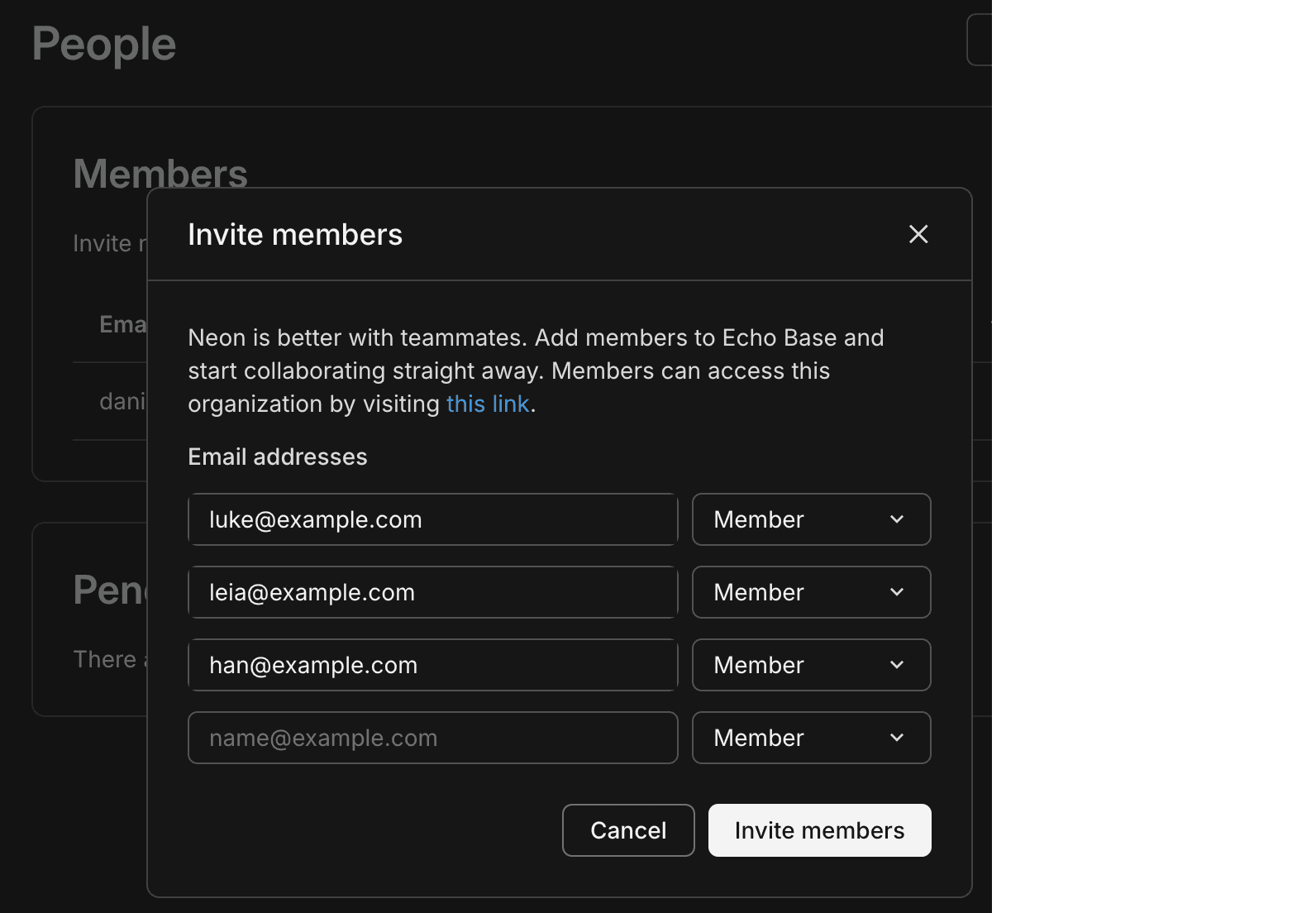
Unlimited members on the Free plan

What are orgs and members?

An organization is a workspace that owns Neon projects and where you manage projects and collaborate. Members are people you invite to your organization. Learn more.

With unlimited members, listing them efficiently matters. The API for listing organization members now supports pagination and sorting, and the Console members page supports sorting and pagination. Member objects also include an optional has_mfa field, and the Console shows a 2FA indicator, following the recent introduction of two-factor authentication (2FA).

Organizations API example
# First page
curl -X GET \
  'https://console.neon.tech/api/v2/organizations/{org_id}/members?limit=20&sort_by=joined_at&sort_order=desc' \
  -H 'Authorization: Bearer $NEON_API_KEY'

# Next page (use cursor from response.pagination.next)
curl -X GET \
  'https://console.neon.tech/api/v2/organizations/{org_id}/members?limit=20&cursor=...' \
  -H 'Authorization: Bearer $NEON_API_KEY'

Response includes pagination.next for the next page and, per member, a user object that may include has_mfa:

"user": { "email": "user@example.com", "has_mfa": true }

Neon Auth

We're introducing two new Neon Auth features this week.

Organization settings. You can now configure Organizations for Neon Auth from the Neon Console. Go to Auth > Configuration > Organizations (per branch) to enable or disable the plugin, set the maximum organization memberships per user and the maximum members per organization, choose the creator role (owner or admin) for new organizations, and control whether invitation emails are sent. These settings support multi-tenant apps where users create and join organizations. See Organization in the Neon Auth docs.
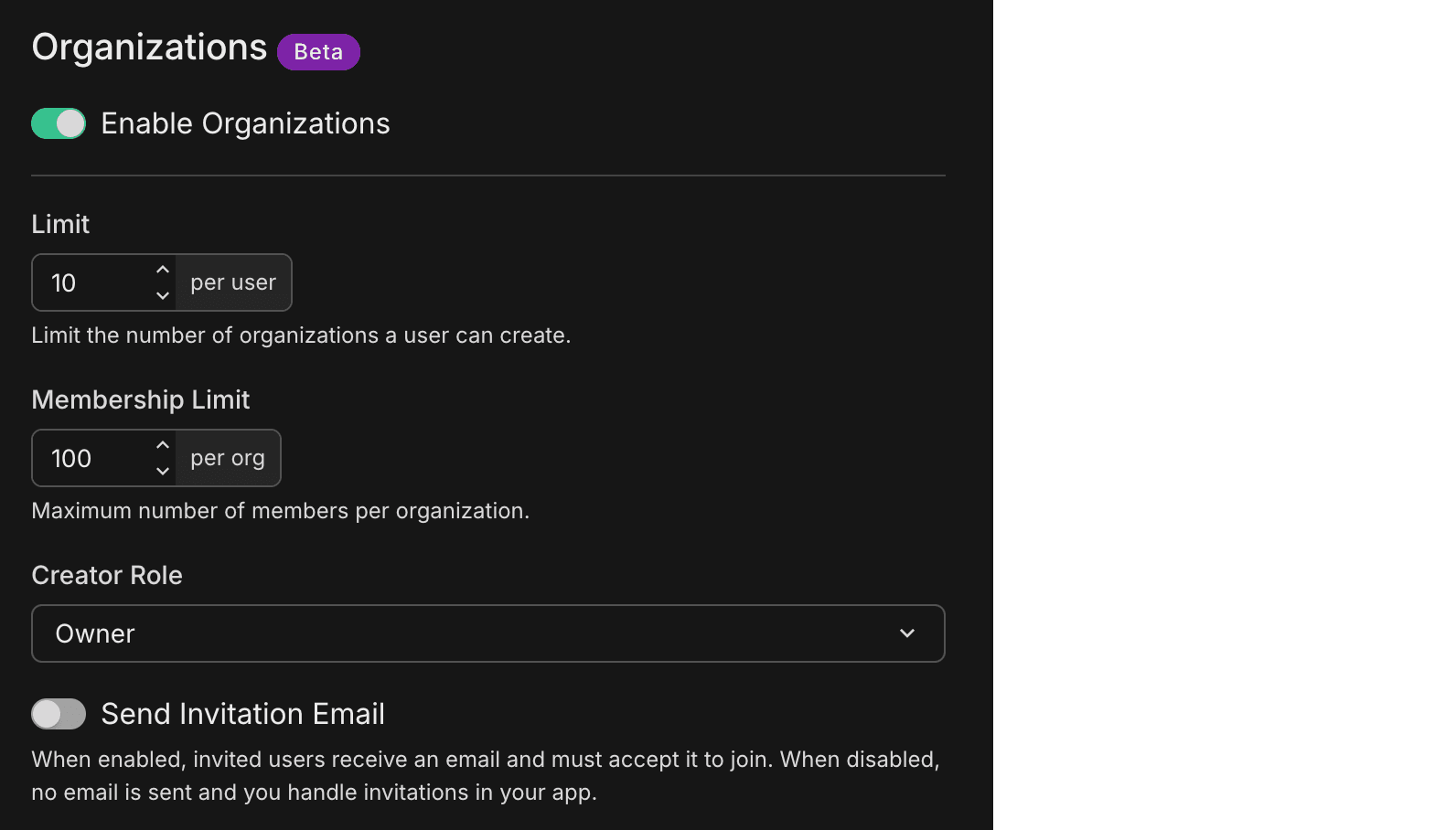
Auth Configuration > Organizations in the Neon Console

Webhooks. Introducing Neon Auth webhooks. Configure webhooks to receive HTTP POST requests when authentication events occur (OTP delivery, magic link delivery, user creation). Use them to replace built-in email delivery with your own channels (SMS, custom email, WhatsApp), validate signups before they complete, or sync new users to CRMs and analytics. The guide covers event types, API configuration, payload structure, signature verification, expected responses, retry behavior, and testing. See Webhooks.

New NAT gateway IPs and VPC endpoint services in US East (N. Virginia)

We've expanded infrastructure capacity in the AWS US East (N. Virginia) region (us-east-1) with new NAT gateway IP addresses and new VPC endpoint service addresses for Private Networking.

Update your IP allowlists

If you have IP allowlists on external systems that Neon connects to, update those allowlists to include the new NAT gateway addresses. Connections may be affected intermittently if traffic routes through non-allowlisted NAT gateways.

If you use Private Networking in us-east-1, you can now use the additional VPC endpoint service addresses for enhanced capacity and reliability. See the Regions documentation for the complete list of NAT gateway IPs and the Private Networking guide for VPC endpoint service addresses by region.

Stay on top of network transfer costs

Network transfer monitoring

Network transfer (egress) is data sent from your Neon databases to clients. It's one of the usage metrics that affects your bill on paid plans, and many teams only notice it when it shows up as a line item.

We've added two things to help. First, a guide that explains what network transfer is, what typically drives it (queries, pg_dump, logical replication, log export), how to monitor it in the Console and via the Consumption API, and how to manage or reduce usage. See Reduce network transfer costs.

Second, an agent skill that guides your AI assistant through diagnosing and fixing application-side query patterns that cause excessive egress. The skill walks through analyzing your codebase for anti-patterns (such as SELECT *, missing pagination, high-frequency queries on static data, and application-side aggregation), applying fixes, and verifying with tests. To add it:

npx skills add neondatabase/agent-skills -s neon-postgres-egress-optimizer
Two-factor authentication (2FA)

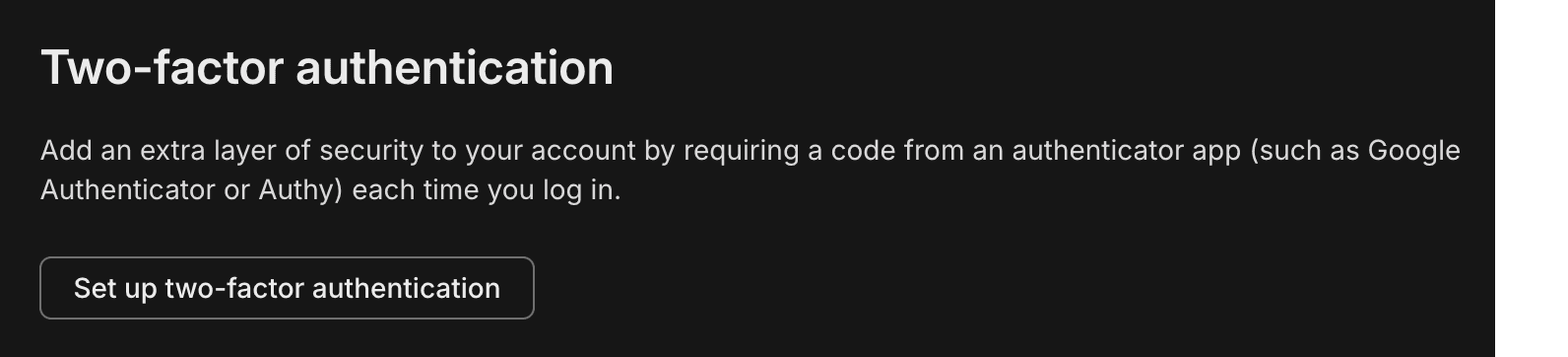
Neon now supports two-factor authentication (2FA) for your account. Once enabled, you enter a 6-digit code from your authenticator app (for example, Google Authenticator, Authy, or 1Password) each time you log in. Set it up from your profile menu: Account settingsSet up two-factor authentication, then scan the QR code and verify with a code from your app. For details, see Two-factor authentication.

Two-factor authentication setting

Data API Advisors

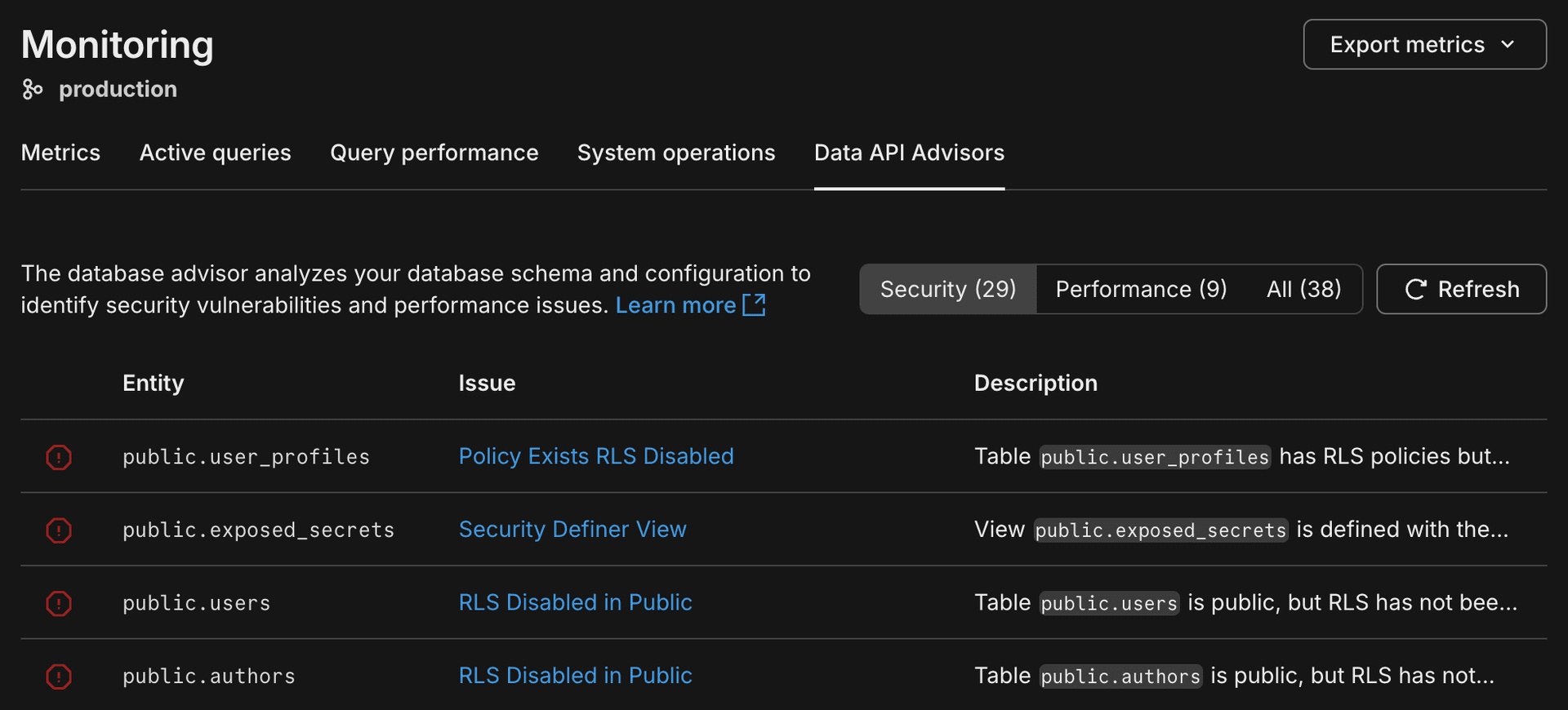
Data API Advisors is a new tab on the Monitoring page that helps you secure and tune your database when you use the Neon Data API, Neon's HTTP interface for querying your database from browsers, serverless functions, and edge runtimes. Because the Data API exposes your schema directly over HTTP, the RLS policies and security you define on your schema are critical. The advisors scan your database and report security and performance issues (such as missing RLS, sensitive columns exposed, or unindexed foreign keys) with severity levels and recommended fixes.

In the Neon Console, go to Monitoring > Data API Advisors for your branch to run a scan and view issues grouped by category.

Data API advisor

For details, see Data API Advisors.

Combine Neon and Vercel MCP servers for powerful workflows

MCP servers make it incredibly easy to integrate tools and platforms. In this guide, learn how to combine the Neon MCP server with the Vercel MCP server so AI agents can diagnose production errors, validate database fixes on a Neon branch, and open pull requests with code changes. Try it with Claude Code or any agent that supports MCP. See AI-driven incident response with Vercel and Neon MCP.

Unlimited members on the Free Plan

You can now add unlimited members to each organization on the Free plan. Collaborate with teammates, invite others to your org, or keep separate workspaces for personal projects, side projects, and collaborations. No credit card required. For details, see Manage billing and Neon plans.

What are orgs and members?

An organization is a workspace that owns Neon projects. Members are people you invite to the organization. Learn more.

Postgres version updates

We updated supported Postgres versions to 14.21, 15.16, 16.12, 17.8, and 18.2, respectively.

SELECT version();
PostgreSQL 18.2 (e21737f) on aarch64-unknown-linux-gnu, compiled by gcc (Ubuntu 13.3.0-6ubuntu2~24.04.1) 13.3.0, 64-bit

When a new minor version is available on Neon, it is applied the next time your compute restarts. For more about how we handle Postgres version upgrades, refer to our Postgres version support policy.

TimescaleDB on Postgres 18

We've added support for the timescaledb extension on Postgres 18. Install it with:

CREATE EXTENSION timescaledb;

See The timescaledb extension for setup and usage.

New Neon Agent Skill: Claimable Postgres (neon.new)

We've added claimable-postgres to the Neon Agent Skills collection. With this skill, your AI assistant can provide an instant temporary database via Claimable Postgres by Neon and obtain a connection string autonomously, without human intervention, account creation, or credit card. For details, see Claimable Postgres by Neon.

How to get Neon Agent Skills

npx (skills only):

npx skills add neondatabase/agent-skills -s claimable-postgres

Neon Agent Skills repository

Git worktrees with Neon branching

Run multiple AI coding agents in parallel without collisions by giving each agent its own Git worktree (isolated working directory) and Neon database branch from a single repository. The guide shows how to avoid file, Git, and database conflicts and ties it together with a post-checkout hook so spinning up a new agent with its own database takes one command. See the guide: Git worktrees with Neon branching.

Google Jules and Neon MCP

Use the Neon MCP Server with Google Jules to give AI agents an isolated database branch for each feature. Connect Jules to Neon MCP so it can spin up branches, apply schema changes and migrations, and open PRs without touching production. See the guide: Google Jules and Neon MCP.

Fixes and improvements

Data anonymization

Anonymized branches are now supported on projects with IP Allow or Private Networking enabled. You can now create and use anonymized branches for these projects without restriction. For more information, see Data anonymization.

Neon Auth

We fixed an issue where deleting a database with Neon Auth left stale state and caused 500 errors when opening Neon Auth settings (e.g., OAuth or SMTP).

Neon Console

The Drizzle Studio integration that powers the Tables page in the Neon Console has been updated to version 1.3.2. This release fixes a regression where Add ColumnReview and Commit could produce a zod validation error. For the latest improvements and fixes, see the Neon Drizzle Studio Integration Changelog.

PgBouncer

The PgBouncer version used by Neon to offer connection pooling support was updated to version 1.25.1 for the latest updates and patches.

Snapshots

On paid plans, the snapshot limit (10) now applies only to manual snapshots. Scheduled backup snapshots no longer count toward that limit, so scheduled backups will no longer fail when you've already created your maximum number of manual snapshots. For more information, see Backup & restore.

Was this page helpful?